Mechanical Hard Drive Failure
Clicking, grinding or failure to spin are reasons to stop ordinary use and assess the device, not a diagnosis of one component. Mechanical, electrical, power and firmware problems can overlap; repeated power-ons or improvised repairs can reduce what remains recoverable.
HDD mechanical failure: what should you do next?
Answer one question about the current state. The result suggests the safer next step rather than diagnosing the failure.
Is the drive clicking, knocking, repeatedly spinning up/down, or failing to spin normally?
Stop powering the drive on.
Mechanical symptoms can worsen with operation. Ordinary recovery software cannot repair heads, spindle mechanics or media damage.
Do not assume the problem is logical.
If the HDD does not behave normally, diagnose source access before scanning the file system. Preserve readable data only when acquisition can be performed safely.
This guide classifies the next recovery action from observable information. It does not diagnose hardware condition or estimate a percentage chance of recovery.
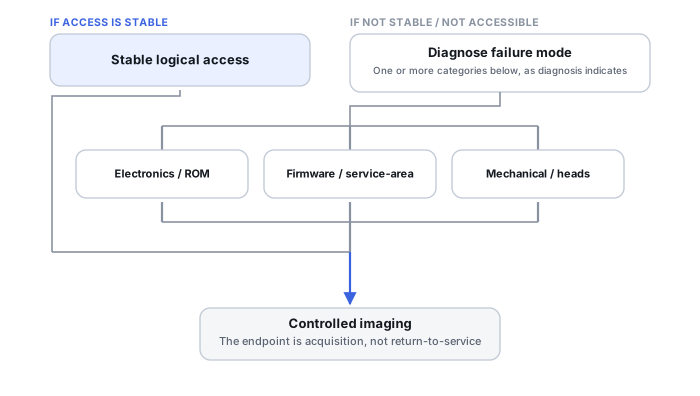
A drive being absent or intermittently detected does not by itself establish mechanical failure — see Drive Not Detected or Keeps Disappearing for the general detection ladder. Mechanical suspicion becomes stronger when device-access problems coincide with abnormal sound, spin behavior, impact history or other physical signs.
What's actually happening
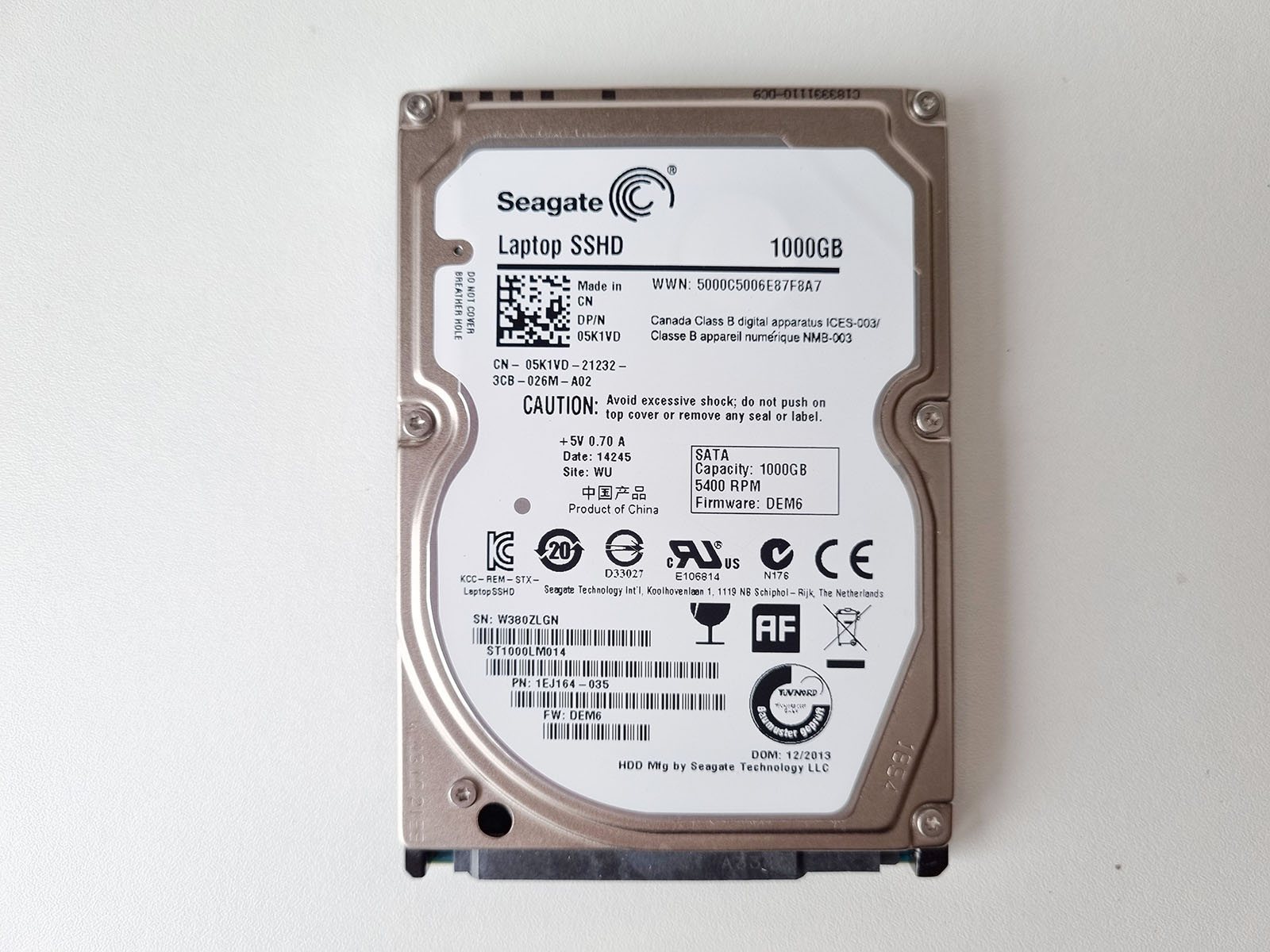
A hard drive is a precision electromechanical storage device whose internal recording environment is highly controlled: platters spin at high speed while the read/write heads fly extremely close to the magnetic surfaces, controlled by an actuator, onboard electronics and firmware. "Mechanical failure" is an external symptom category rather than one diagnosis. A drive may click because the actuator repeatedly seeks or resets after it cannot initialize correctly; it may fail to spin because of spindle, power or electronics problems; it may become unreadable because one or more heads are weak or damaged; and firmware or preamplifier faults can imitate mechanical trouble from the outside. The same symptom can therefore have several underlying causes, and the recovery path depends on which layer has actually failed.
What the symptoms can — and cannot — tell you
Sound is useful as a stop signal, but it is not a precise diagnosis. Repeated clicking usually means the drive cannot complete normal initialization or reading; it does not by itself prove that the heads are physically striking the platters. Grinding or scraping after a drop is more concerning for direct media contact. A drive that is completely silent may have an electrical, spindle or firmware problem instead of a head failure.
Other observable details are often just as important: whether the drive spins, whether it reports the correct model and capacity, whether it stays ready or repeatedly resets, whether the failure began after a drop or impact, and whether behavior changed during previous attempts. Record those facts without repeatedly powering the device to gather more evidence.
What changes the recovery outlook
- Media condition. A drive with intact platter surfaces but failed heads is a very different case from one that has been running with head-to-media contact and accumulating scratches.
- How long it has been operated after symptoms appeared. Repeated spin-ups and scans can turn a localized access problem into broader media damage.
- Availability of compatible donor parts and model-specific knowledge. Head assemblies, ROM/adaptive data and firmware behavior vary by drive family and revision.
- Whether any heads still read reliably. Partial access may allow important regions to be acquired first even when a complete image is not immediately possible.
- The original event. A dropped spinning drive, liquid contamination and a drive that simply stopped initializing are not equivalent starting conditions.
How recoverable this really is
Mechanical symptoms do not automatically mean the magnetic data is gone. In many cases the limiting problem is access to otherwise readable platter surfaces; in others, however, the media itself has already been damaged. That distinction is why outcomes range from near-complete imaging to substantial unreadable areas or no practical recovery at all. Opening the drive or experimenting with donor parts before diagnosis adds risk precisely because modern heads, firmware and adaptive parameters are model- and revision-sensitive, while exposed platter surfaces are extremely vulnerable to contamination.
The general approach
Professional recovery separates diagnosis from data extraction. Depending on the device and fault, controlled diagnosis, firmware work, compatible donor parts or mechanical work in an appropriate environment may restore enough access to acquire data. Recovery-oriented imagers control reads through the available drive and interface paths; they are not general-purpose devices for reading bare platters. The acquisition plan may prioritize valuable or readily readable regions and produce a partial image with an error map. Later analysis normally runs on copies; any return to the source for additional regions should be deliberate and justified by its condition and the value of the missing data.
One bad head can make the whole drive look dead
A drive normally reads servo and calibration information through specific heads during startup. If one of the heads needed for that sequence can't read correctly, the drive can spin, seek, fail, retry and click without ever reaching a usable state — even though its other heads might still read large portions of user data if the drive could get that far.
Good heads can sometimes be imaged before a failed head is touched
Where a lab's tools support head-aware acquisition, a drive with one bad head can sometimes be initialized using a modified head map that prioritizes the surfaces served by healthy heads, recovering the most valuable data first and deferring the failed head's region until later — see HDD heads, platters and mechanical failure.
Head replacement needs a donor matched beyond the model number
Two drives sold under the same retail model can still be poor donors for each other. Donor selection depends on the drive family, the component being replaced and family-specific compatibility criteria; no single field such as model number, firmware revision or manufacture date is a universal matching rule. Modern HDD construction also varies, including sealed helium designs, so internal intervention and donor compatibility are family-specific — see cleanroom head replacement and donor matching.
A head swap restores access, not damaged media
Replacing a failed head stack solves a defective reading mechanism. If the original heads already scratched the magnetic surface, that damage is still there afterward — donor heads can encounter the same damaged regions on first contact, and those areas can remain permanently unreadable.
Controlled imaging is still required after cleanroom work
A drive that's just had mechanical work done is an acquisition instrument, not a drive restored to reliable service — often a more fragile one than before. The same multipass, controlled imaging approach used on any unstable source still applies in full once the mechanical repair is complete.
Don't repeatedly power the drive on "to see if it still works," don't freeze it, and don't open the case outside a real cleanroom. These are long-standing pieces of internet folklore that occasionally worked decades ago on very different hardware — on modern high-density drives, they routinely turn a recoverable failure into a permanent one. Power the drive off, and stop there.
This is squarely a hardware problem, not a software one — see software vs. hardware recovery tools for how that line is drawn. The specialized imaging hardware mentioned above, built to control reads from a struggling drive and limit additional stress, is covered in professional imaging hardware. For how this failure mode compares to what actually goes wrong on an SSD or NVMe drive instead, see HDD vs. SSD vs. NVMe. If a case like this needs cleanroom-level physical work, our directory of major physical recovery providers is a starting point for finding one. For how the imaging itself works once access is restored, see imaging bad sectors and unstable HDDs.
This page describes the general situation, not a guaranteed fix for your specific case. If you'd rather have someone experienced take a look before you try anything, find a recovery provider by region.