USB/SATA & NVMe Adapters
If a laptop or desktop has failed but its storage device is healthy, an adapter or enclosure can be a convenient way to connect that device to another computer. It is a connection tool, not a recovery treatment for a drive that is itself unstable or physically damaged.
What these actually are
A USB/SATA adapter is a small cable or dongle with a SATA connector on one end and USB on the other, powered either by the USB port itself (2.5in laptop drives) or by an included power brick (3.5in desktop drives, which need more current than USB alone reliably provides). An NVMe enclosure does the same job for the newer M.2 form factor, which has no SATA connector at all — see HDD vs. SSD vs. NVMe for why that distinction matters when picking one.
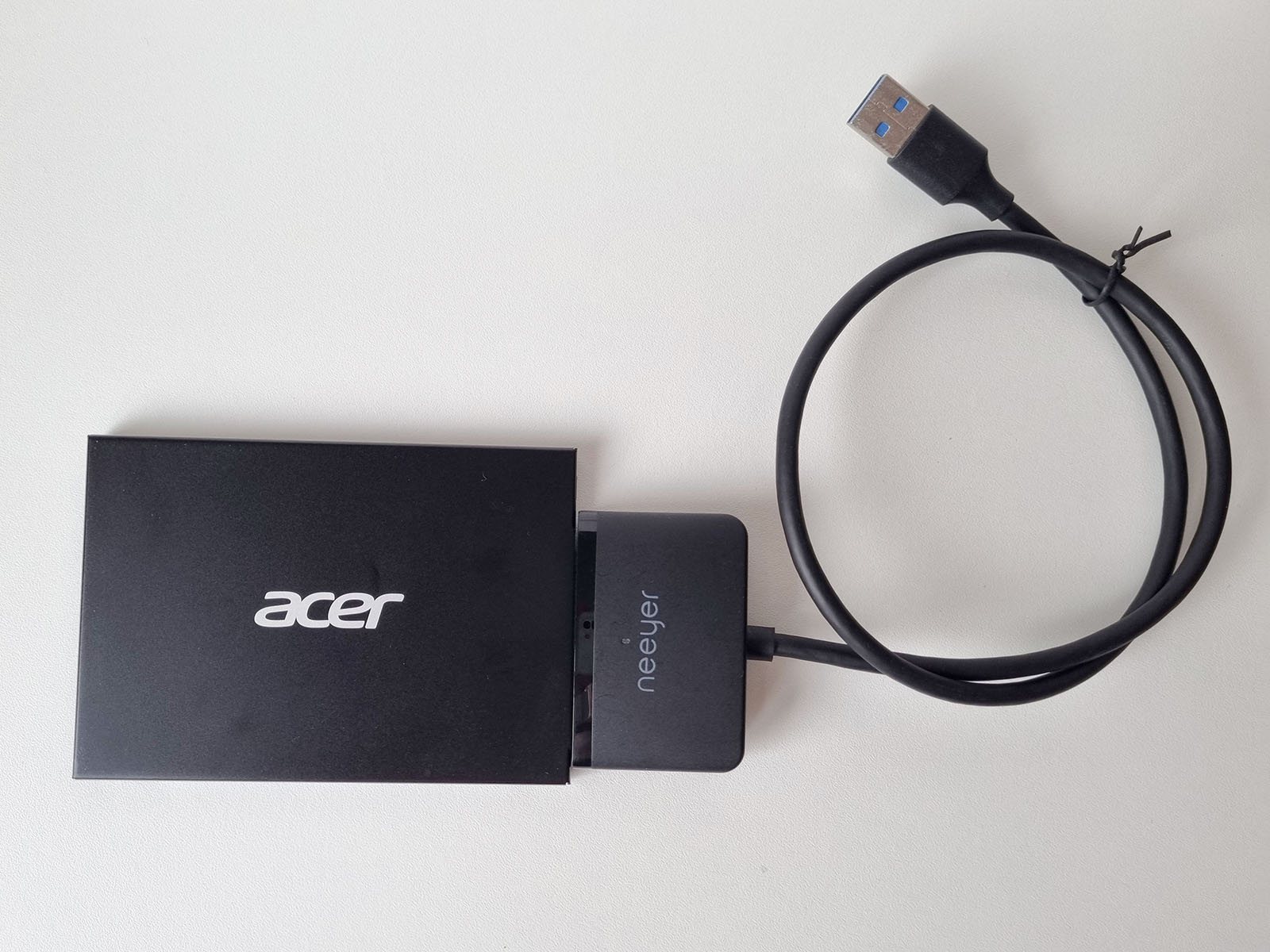
USB 3.0 to 2.5in SATA Adapter Cable
BudgetThe simplest, cheapest option, for a laptop-size 2.5in SATA drive specifically. Bus-powered over USB — no separate power brick to lose or forget.
- Fits2.5in SATA I/II/III SSD & HDD
- SpeedUSB 3.0, up to 5Gbps, UASP support
- PowerBus-powered, no external adapter needed
USB 3.2 NVMe/SATA M.2 Enclosure
ProsumerA small tool-free enclosure for M.2 drives — both NVMe (PCIe) and M.2 SATA variants, in the common physical sizes. This is the one to reach for on a modern laptop, where the internal drive is far more likely to be M.2 than 2.5in SATA.
- FitsM.2 NVMe (PCIe) & M.2 SATA, sizes 2230/2242/2260/2280
- SpeedUSB 3.2, up to 10Gbps
- AssemblyTool-free, aluminum housing
If the drive is clicking, not spinning up, overheating, or otherwise showing signs of physical failure, a standard USB/SATA adapter is exactly the wrong thing to reach for — it gives the drive full-speed, no-special-handling read commands, which is precisely what a struggling drive can't safely tolerate. That situation calls for the imaging hardware covered in Hardware Imagers & Recovery Rigs, not a simple USB adapter. See Mechanical Hard Drive Failure and Bad Sectors and a Failing (but Working) Drive for what those warning signs actually look like.
If a drive suddenly shows the wrong capacity, appears intermittently or asks to be initialized, record the original enclosure/adapter before substituting another one. A bridge swap is a useful diagnostic comparison only if you remember that the bridge may be part of the storage presentation.
When changing the bridge changes the evidence
UASP can improve normal USB storage performance, but performance mode is not the primary criterion for a failing source. Stable command handling, correct device presentation and predictable error behaviour matter more. NVMe devices can also run hot in compact enclosures, so sustained imaging may require adequate thermal contact and cooling.
A 2.5in SATA HDD or SSD is commonly bus-powered, while a 3.5in SATA HDD requires a proper external supply including 12 V. An underpowered connection can cause spin-up failure, resets or repeated disconnects. M.2 is only a form factor: an M.2 SATA device and an M.2 NVMe/PCIe device require compatible electronics even when the connector looks similar.
Power and interface details
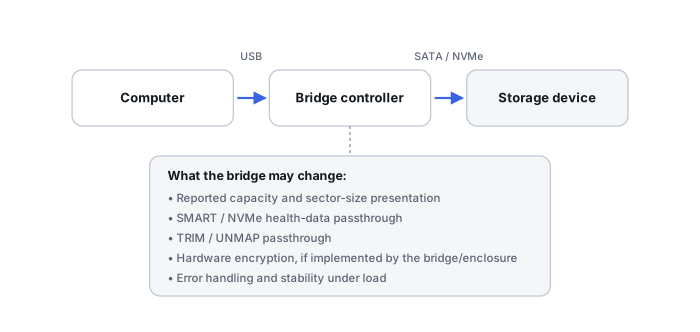
- Sector-size translation: some bridges can change how logical sectors are presented. A different bridge may therefore make old partition offsets appear wrong or make a previously readable enclosure disk look uninitialized.
- SMART / NVMe passthrough: diagnostic commands may be fully supported, partially supported or hidden.
- TRIM / UNMAP: whether deallocation commands reach an SSD depends on the bridge, protocol and driver path; do not assume USB either always blocks or always passes them.
- Encryption: some external-drive bridge boards perform transparent hardware encryption. Removing the bare drive from the original enclosure can then expose encrypted sectors even when the drive itself is healthy.
- Reset behaviour: a bridge may disconnect or reset when a drive stalls, turning a media problem into an apparent USB disconnect.
The host may not see exactly the same block device that a direct SATA or NVMe connection would expose. Bridge firmware can affect command passthrough, sector presentation, power management, resets and error handling. This matters much more in recovery than in ordinary file transfer.
An adapter is not always transparent
Related reading: External USB Drive Not Working · SMART & Drive Diagnostic Tools · Understanding Storage Layers Before Recovery.
This page describes the general situation, not a guaranteed fix for your specific case. If you'd rather have someone experienced take a look before you try anything, see what a hands-on evaluation looks like.