SSD Controller Failure
An SSD that suddenly stops being detected shares its symptoms with a dead hard drive, but nothing else about it does — there's no spinning platter or moving head involved, and the actual recovery problem is almost entirely different.
SSD controller failure: what should you do next?
Answer one question about the current state. The result suggests the safer next step rather than diagnosing the failure.
Does the SSD enumerate reliably with the correct capacity and sustain normal reads?
Preserve readable logical data now.
If access is genuinely stable, acquire the logical address space before further testing. Controller problems can deteriorate or become intermittent.
Controller-level recovery may be required.
Incorrect capacity, intermittent detection or inability to read normally is not an ordinary file-system problem. Modern SSD recovery can depend on controller, firmware, translation metadata and encryption.
This guide classifies the next recovery action from observable information. It does not diagnose hardware condition or estimate a percentage chance of recovery.
What's actually happening
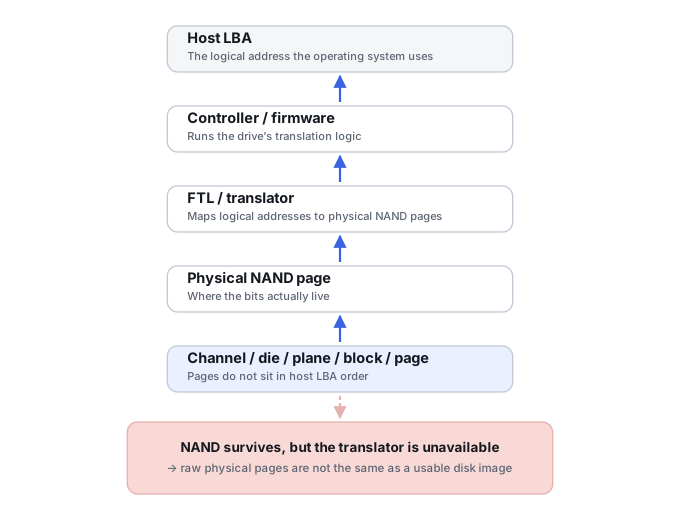
An SSD has no fixed mapping between the "logical" location the operating system asks for and the physical flash cell that data actually lives in. A controller chip maintains that mapping dynamically — usually called the flash translation layer — and uses wear-leveling strategies to distribute program/erase wear across available flash rather than repeatedly using the same physical blocks. If the controller itself fails, corrupts its own firmware, or loses access to the tables it depends on, the drive can stop responding entirely even though every flash chip on the board is untouched and still holding data.
What controller failure can look like
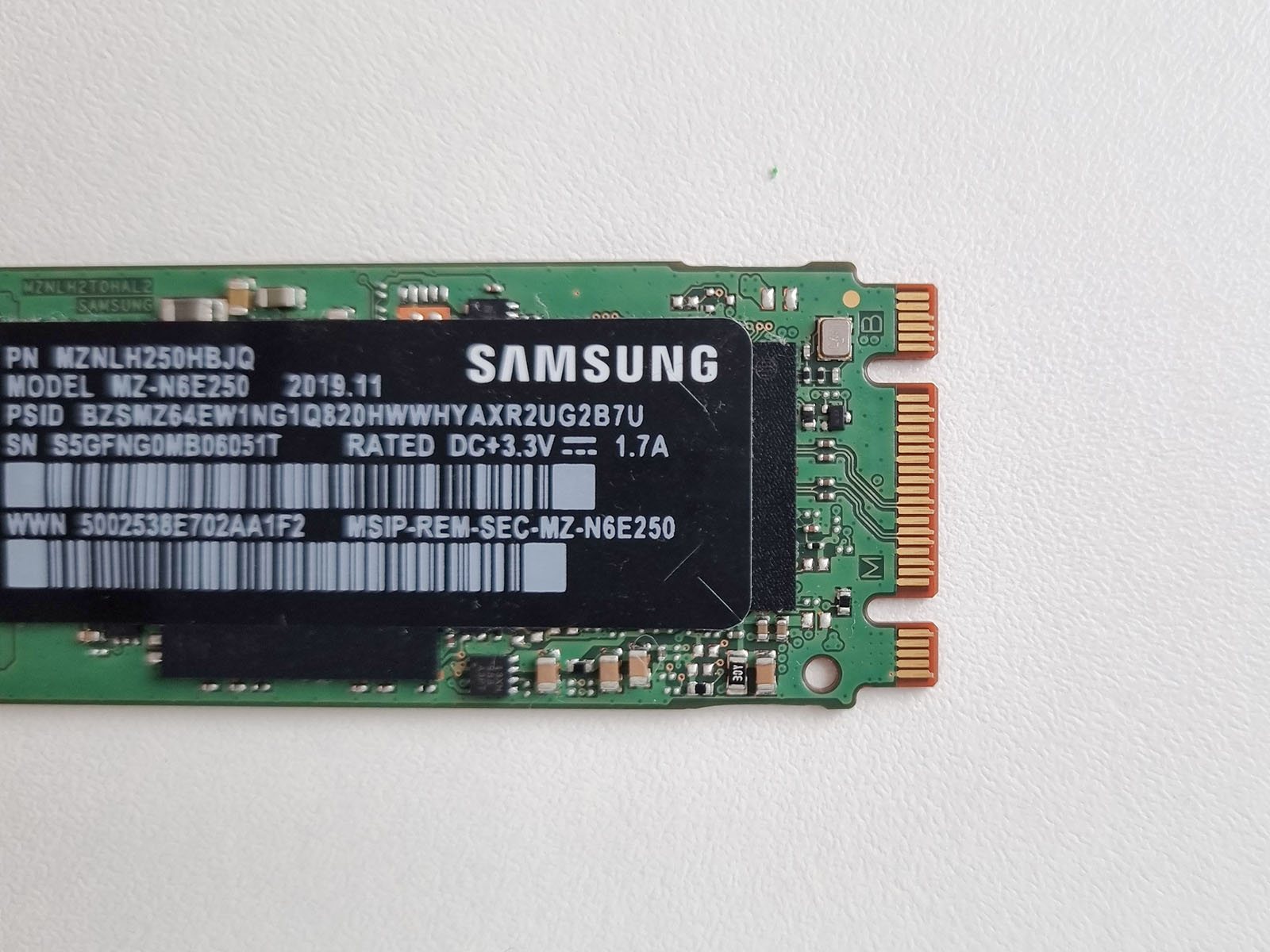
"Not detected" is only one presentation. An SSD may enumerate with the wrong capacity, appear under a controller or factory-mode identifier, disappear under load, become read-only, hang during initialization, or return large regions of unreadable or zero-filled logical data. Those symptoms do not all prove the controller silicon itself is dead; firmware, power circuitry, NAND access, translation metadata and internal error handling can produce similar host-visible behavior. Between the host and the physical flash sit several distinct layers — host interface/power, controller execution, firmware/service metadata, the FTL/translator, ECC/read-retry context, and the NAND pages themselves — and a failure in any one of them can produce a "dead SSD" symptom. "Controller failure" is therefore a practical category for where the symptom shows up, not proof that the controller IC itself is defective.
What you can record safely
If the SSD still identifies, record the exact model, reported capacity, interface, firmware revision if available, and whether detection is stable across a single controlled connection. Note what happened immediately before the failure — power loss, firmware update, overheating, enclosure failure or simply a normal reboot. If normal reads are already unstable, do not use benchmarks, secure-erase tools, firmware updaters or repeated full scans as diagnostics.
What changes the recovery outlook
- Controller and firmware family. Specialized access methods are highly platform-specific, and support for one controller revision does not imply support for another.
- NAND and translation metadata condition. The flash may contain the user data but still be unusable if the mapping information needed to reconstruct host LBAs is unavailable or badly damaged.
- Encryption. Many SSDs encrypt data internally as part of normal controller operation. Raw NAND reads are not automatically meaningful plaintext and may be useless without the correct controller state or keys.
- Whether stable logical access still exists. If the controller can still expose the correct address space reliably, acquiring that logical image is usually much simpler than reconstructing data from lower layers.
- Package and board design. Monolithic devices, soldered components and highly integrated controllers can limit the physical access methods available to a lab.
How recoverable this really is
How well this goes depends heavily on the exact SSD platform, failure layer and available specialist support. Some failures still permit controller-level or service-mode access and a logical image. Others require reconstruction below the normal host interface, where ECC/LDPC, scrambling, interleaving, wear-leveling metadata and encryption all matter. A drive whose NAND is physically intact can therefore still be unrecoverable in practice if the required translation or cryptographic state cannot be reconstructed. Conversely, an SSD that appears completely dead to an operating system may still be recoverable through model-specific specialist access.
The general approach
Diagnosis usually starts with the exact SSD model, controller, NAND configuration and failure behavior. Depending on the platform, a specialist may work through controller/service modes, firmware structures, or direct NAND access. Direct chip reading is not a universal fallback on modern SSDs: controller-managed scrambling, ECC/LDPC, data mixing, wear-leveling metadata and hardware encryption can make raw NAND dumps unusable without the original controller state or platform-specific reconstruction support.
Controller failure can actually be translator or firmware failure
“The controller died” is only one of several distinct failure classes that all present as an SSD gone wrong. The controller silicon itself can fail electrically, but a drive can just as easily show a factory or safe-mode identity because firmware never completed initialization, or enumerate correctly while its translator (the mapping between host addresses and physical flash) is corrupted, or fail for reasons tied to DRAM/cache state or internal encryption metadata rather than the chip itself. NAND can be completely healthy in several of these cases — the failure sits in a layer above it.
The translator is part of the recoverable state
A controller depends on persistent internal metadata — translation tables, block-state tables, wear and bad-block records, security state — to rebuild its view of the NAND after every power-up. Unexpected power loss can sometimes leave that metadata or mapping state inconsistent, without implying that every NAND cell holding user payload is damaged. When the metadata itself is what’s actually damaged, the NAND payload alone is not enough to reconstruct a logical drive; the translator has to be rebuilt too. See Flash Translation Layers and NAND Mapping for how that mapping works and why losing it can leave physically intact flash unreadable.
Why chip-off is not the default for modern SSD
Removing NAND packages and reading them directly produces a raw dump, not a disk image — the controller’s ECC, scrambling, interleaving and address translation still have to be reversed afterward, and on a modern SSD that reconstruction can be substantially harder than the acquisition itself. See Chip-Off, ISP and Monolithic Flash Recovery for what that reconstruction actually involves and when direct NAND access is worth considering at all.
Controller-specific access can preserve encryption and ECC context
Where a supported route exists, working through the original controller — via service or technological modes rather than desoldering anything — keeps its ECC engine, translation state and any internal encryption context intact, instead of forcing a lab to reconstruct all three from a raw dump. See SSD Firmware, Translator and Controller-Level Recovery for how this changes the practical priority order after controller failure.
Don't repeatedly power-cycle a non-detected SSD hoping it wakes up, and don't attempt any DIY firmware or chip-level fixes found online. SSD firmware and controller repair is far less standardized than hard drive work, and a wrong move at that level is rarely reversible.
For a different SSD failure mode where the controller still works but deleted blocks may be deallocated, see SSD Deletion and TRIM. Because this is a hardware-level failure that no recovery software can reach, it sits firmly on the hardware side of the software vs. hardware recovery tools divide — see that page for where the line generally falls. For how this failure mode compares to what actually goes wrong on a hard drive instead, see HDD vs. SSD vs. NVMe. Controller-level chip work like this is also squarely what the labs in our directory of major physical recovery providers are built for. For the tool classes involved in this kind of work, see Flash and SSD Controller Recovery Tools. If the drive is intermittently visible rather than confirmed dead, start with Drive Not Detected or Keeps Disappearing; if it reports an abnormal size instead of disappearing, see Drive Shows the Wrong Capacity.
This page describes the general situation, not a guaranteed fix for your specific case. If you'd rather have someone experienced take a look before you try anything, see what a hands-on evaluation looks like.